
Record conversations and audio Local transcription by default in 90+ languages with live translationCloud transcription or summaries available when you want more.
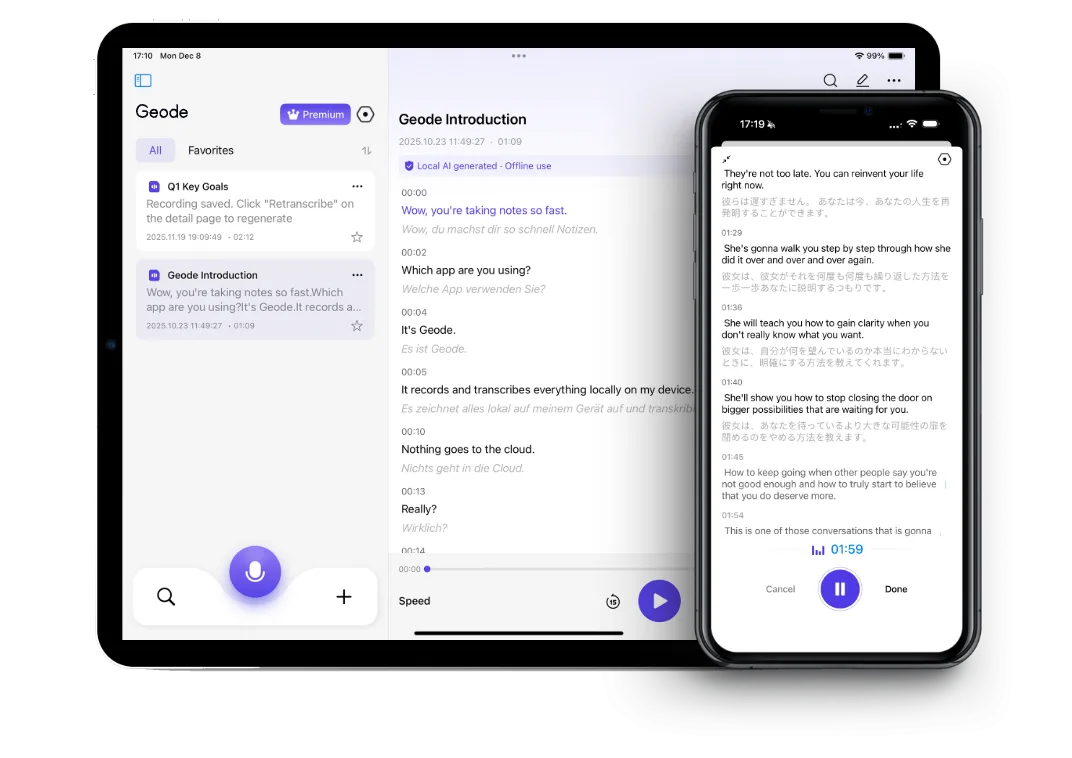
 iPhone, a complete tool.
Geode on iPhone is a complete recording and transcription tool — no Mac needed. Record, transcribe, translate, and get cloud summaries entirely from your phone. Same workflow on iPad.
When you're ready to go deeper: Continue on Mac when you want higher-accuracy transcription, speaker separation, and deeper review with on-device summaries.One account, one workflow across both. Mac requires Apple Silicon (M1 or newer).
Core recording, local transcription, translation, and review work on your iPhone. Cloud transcription and summaries are available when you choose them— not because the workflow depends on them.
Record for hours — in meetings, interviews, classes, or on the go. Keeps recording through screen lock, app switches, and incoming calls you don’t answer. Built for long sessions.
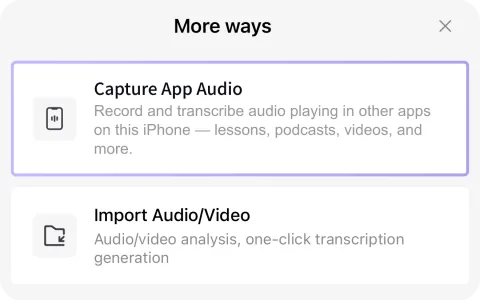
Capture audio playing inside apps on your iPhone — from language apps, podcasts, videos, news apps, courses, and more — then turn it into text you can read, search, translate, and review.
Live translation while you record — side-by-side bilingual text for interviews, multilingual conversations, and cross-border fieldwork across Spanish, Japanese, French, German, Chinese, and beyond.
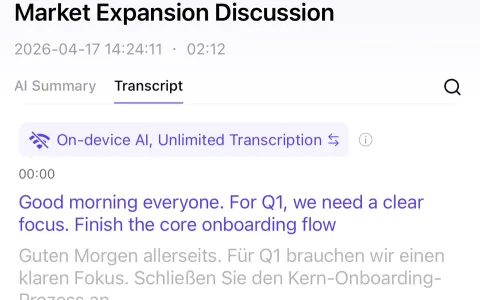
Transcription in 90+ languages happens on your device by default. Your audio never leaves your phone unless you explicitly choose cloud.
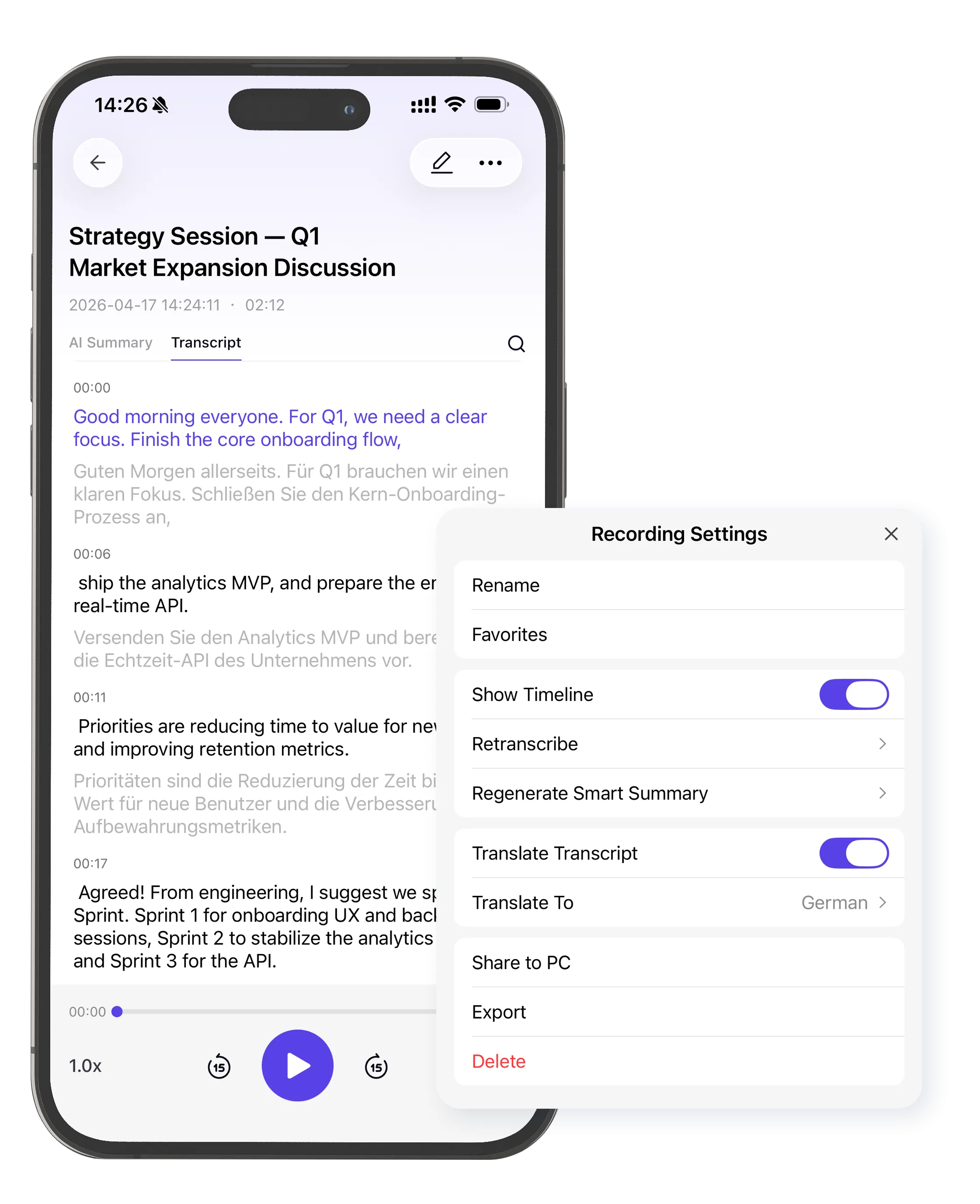
Already have a recording? Import audio and video files directly into Geode for transcription, translation, and summaries.
Edit, format, and organize your transcripts with the built-in Markdown editor. Clean up text, add notes, and export — all without leaving the app.
Need higher accuracy? Switch to cloud transcription when you want it — not because the product depends on it. Available with Trial, Pro+, and Lifetime plans.
Get structured summaries of recordings with cloud AI, on demand. Available with Trial, Pro+, and Lifetime plans.

Your work happens in the real world — offices, streets, classrooms, wherever the story is. No bot entering the room. No meeting invite required. Record, transcribe, protect your source, move on.

Consultants, coaches, therapists, and advisors whose conversations carry real weight. Geode processes locally by default — your content stays on your device unless you choose otherwise.

Capture lectures, study sessions, and real-world audio — even audio playing inside other apps. Then review with transcripts and translation. Turn listening into something you can actually read, search, and retain.


See plans for iPhone, iPad, Mac, and cross-device use.
Pricing and plan details may evolve as Geode continues to develop. Subscription features remain available according to your plan, and renewals are charged at the then-current rate.
Can't find the answers you're looking for? Click the button below to find the answers you need.
Yes. Geode lets you record, import, and transcribe audio directly on iPhone. You can use it for conversations, lectures, interviews, voice notes, podcasts, app audio, and language-learning material. Local transcription runs on your device by default, and optional cloud transcription is available when you choose it.
Yes. Geode on iPhone is a complete recording and transcription app. You can record audio, capture app audio, import audio or video files, transcribe locally, translate text, edit transcripts, and review your notes on your iPhone. Mac is optional for deeper workflows like speaker separation and on-device summaries.
Capture App Audio lets Geode record audio playing inside another app on your iPhone, such as podcasts, online courses, videos, language-learning apps, and other audio sources. After recording, Geode can turn that audio into text so you can search, review, translate, and study it.
Yes. You can use Geode to record and transcribe in-person conversations on iPhone, such as interviews, field notes, class discussions, research sessions, and everyday voice notes. Always follow applicable consent, recording, workplace, and privacy rules before recording conversations.
Yes. Geode supports local transcription on iPhone by default. That means audio can be processed on your device without needing to upload it to a cloud transcription service. Optional cloud transcription is also available when you want it, but local transcription is the default workflow.
Yes. Geode supports live translation and bilingual transcript review on iPhone. This is useful for language learners, multilingual interviews, international conversations, and audio content where you want both the original transcript and a translation.
Yes. You can import existing audio and video files into Geode on iPhone, then turn them into transcripts. This is useful for recorded lectures, interviews, meetings, downloaded audio, video clips, and other files you want to search or review as text.
Geode can generate cloud summaries for recordings on iPhone when you choose cloud features. Fully on-device Smart Summary is available on Mac. If you want local AI summaries without cloud processing, continue the workflow on Mac.
Geode for Mac is designed for heavier workflows. Mac supports higher-accuracy transcription options, speaker separation, local AI summaries, and deeper review workflows. iPhone is best for recording, capturing app audio, importing files, local transcription, translation, and quick review.
Yes. Geode offers a free plan and a 7-day trial with full features. The page should clearly state the current free limits and trial terms, such as local transcription hours, cloud transcription access, and whether a credit card is required.
The Discord is the fastest way to get a real answer.
Adding {{itemName}} to cart
Added {{itemName}} to cart