Best Interview Transcription App for Long Interviews in 2026
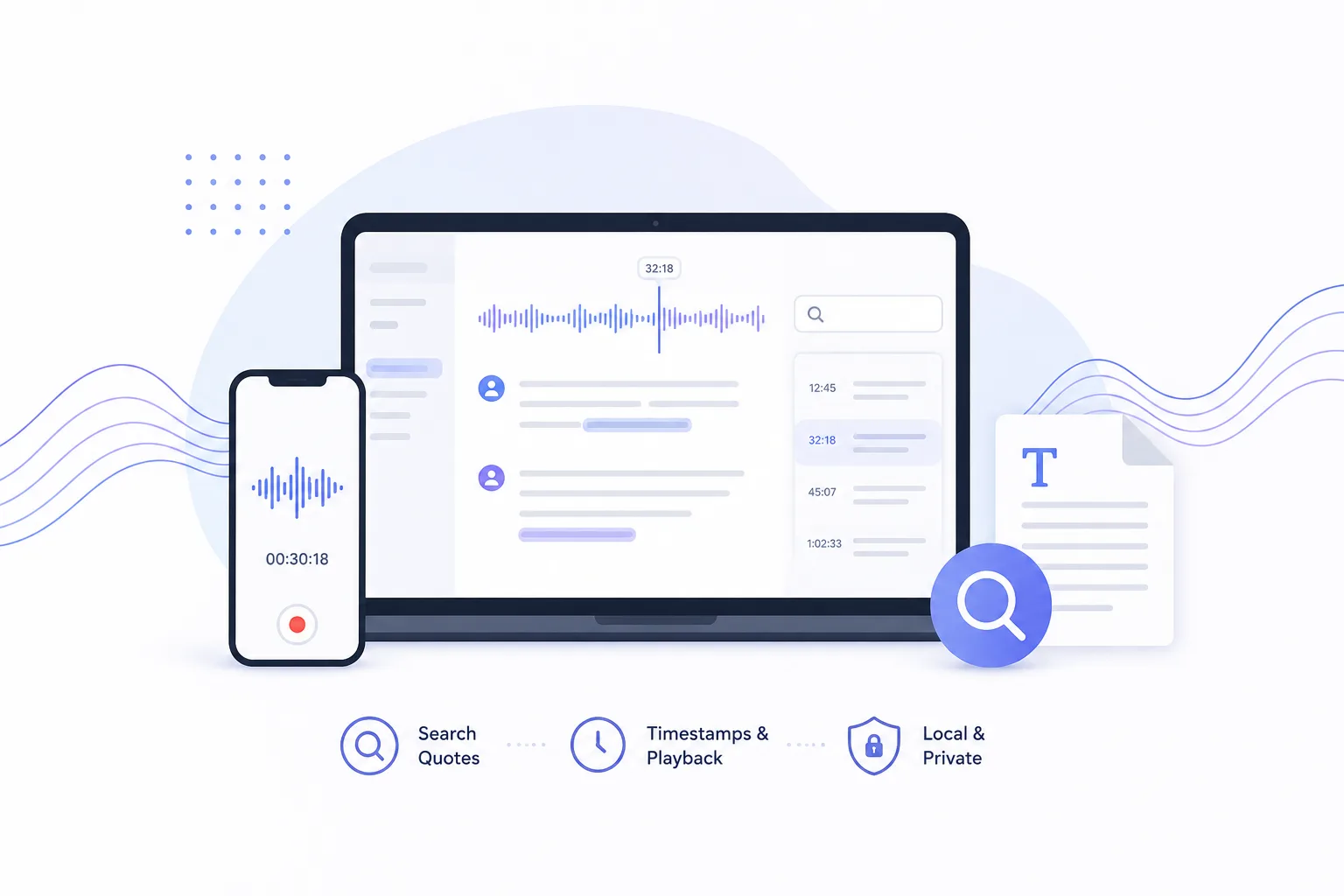
Looking for the best interview transcription app for long interviews? Compare tools for quote search, timestamp replay, local review, and Mac summaries.

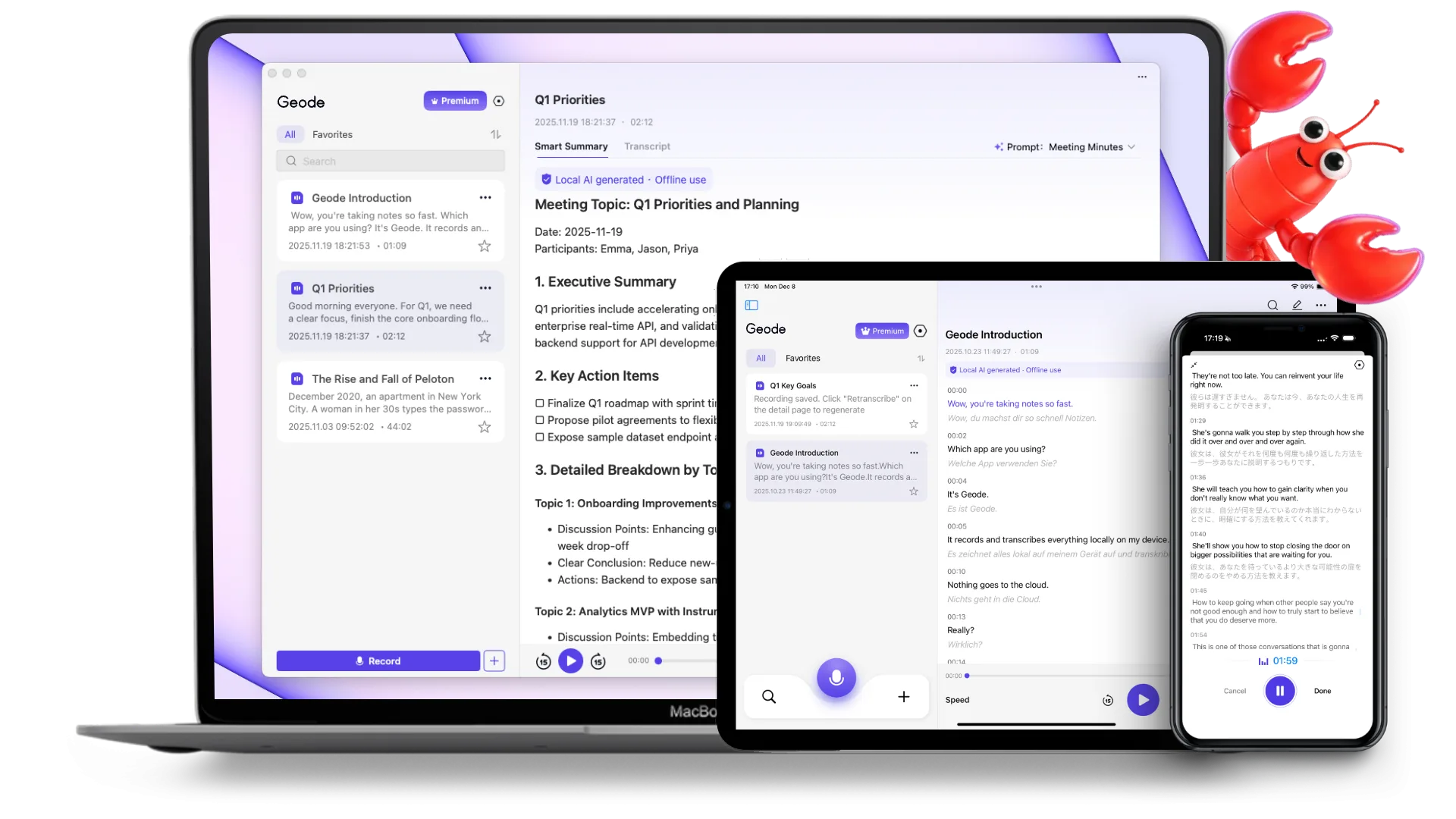
Built for meetings, conversations, interviews, lectures, and podcasts. Transcribe locally by default, even offline, with on-device summaries on Mac and cloud options when you need them.

Built for professionals who need local AI transcription for sensitive conversations, interviews, and recordings that should not rely entirely on cloud-based transcription tools.
For journalists, consultants, trainers, recruiters, and others who need to record and transcribe real-world conversations — not just meetings inside a shared meeting app.
For research interviews, lectures, podcasts, field recordings, multilingual conversations, and app audio transcription — especially when minute-based transcription tools become expensive fast.
Each app stands on its own. Together they create a stronger local-first workflow across recording, transcription, review, and summaries.
Everything on iPhone, plus a stronger local workflow for deeper review
Requires Apple Silicon (M1 or newer)
Capture on the go. Review more deeply on Mac.
Geode Review


talking.From meetings to interviews to long recordings — here's what real users say. These reviews are from the App Store, unedited.

Been using it to take notes during meetings. Super helpful. Also used the translation feature quite a bit with different languages, and very useful for real time translations.

I’ve been looking for a transcription app that doesn’t push everything to the cloud. Geode actually works offline, and it’s reassuring knowing my audio isn’t being uploaded just to get a transcript. It’s become my go-to for meetings.

Geode has been really helpful for interviews and longer voice notes. I like being able to use it even when I'm not connected, and I feel better knowing my recordings stay on my own device. It saves me time, and I also don't have to stress about minute limits.
Built for online meetings and shared team workflows. But with cloud AI transcription tools, recordings are uploaded for processing, costs often scale by the minute, and long-form or sensitive conversations can become harder to manage.
Good at offline transcription and keeping audio local. But with many local AI transcription apps, once you need AI summaries, translation, or deeper review workflows, you often end up copying transcripts between multiple tools.
Record and transcribe conversations locally by default, with optional AI summaries and translation when you need them. No per-minute billing. No stitching tools together. Privacy and costs stay predictable.
Your core recording and transcription workflow runs locally by default, so transcription costs stay predictable and your audio stays on your device. Cloud transcription and AI summaries are available only when you choose to use them.
Record and transcribe conversations without worrying about minute caps, overage fees, or usage-based transcription pricing.
Choose a transcription plan based on how you work — not how many cloud processing minutes you consume each month.
Use cloud transcription and AI summaries only when you want extra processing power — not because your core workflow depends on the cloud.
Start your trial on iPhone or Mac. Add the other device during your trial and get up to 14 days of Pro+ access.After your trial, you’ll switch to Free automatically — no credit card needed, no charges.
One plan covers every device. Your paid Geode plan works across iPhone, iPad, and Mac. No separate licenses, no per-device purchases, and no extra charge for using Geode on more than one device.
Best for users with lighter recording and transcription needs.
Best for users who want to own the core workflow long term.
Pricing and plan details may evolve as Geode continues to develop. Subscription features remain available according to your plan, and renewals are charged at the then-current rate.
Looking for the best interview transcription app for long interviews? Compare tools for quote search, timestamp replay, local review, and Mac summaries.
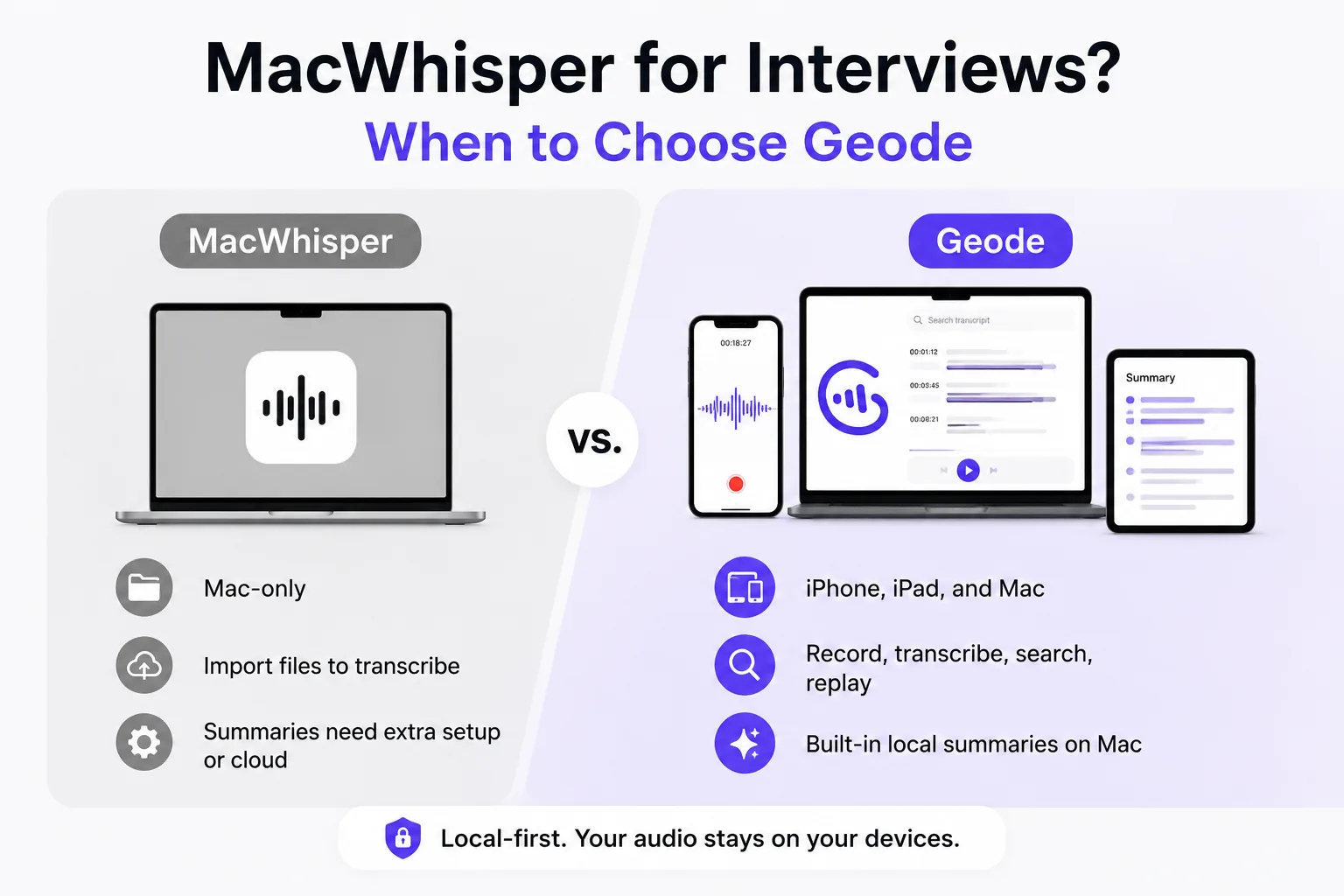
Searching MacWhisper for interviews? See when it works, where interview workflows need more, and how Geode helps verify quotes across devices.
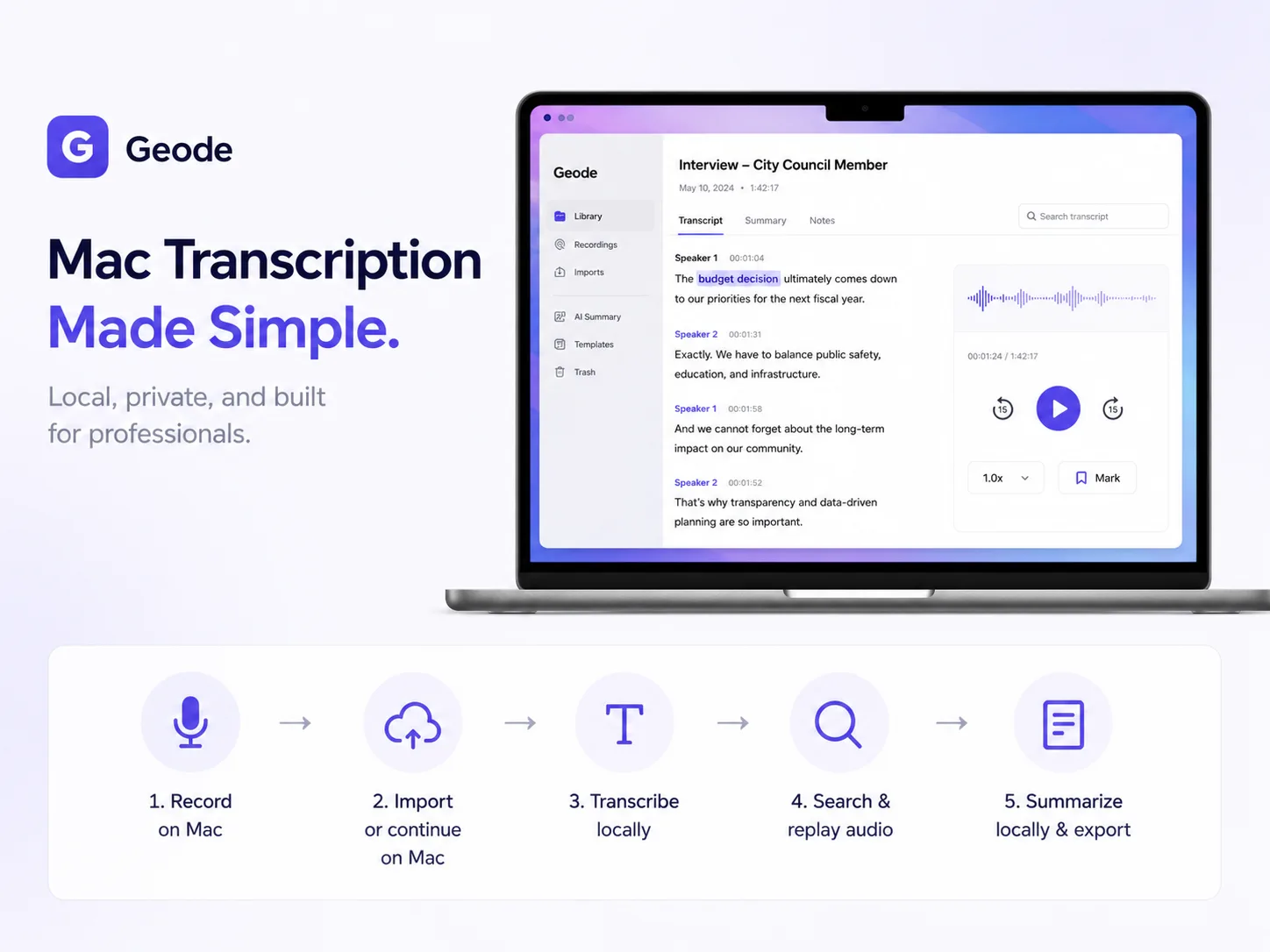
Looking for a MacWhisper alternative? Compare Geode vs MacWhisper for interview transcription, local AI summaries, offline transcription, and cross-device workflows across iPhone, iPad, and Mac.
Can't find the answers you're looking for? Click the button below to find the answers you need.
Geode is a private transcription app for Mac and iPhone that works directly on your device. It records, transcribes, summarizes, and translates conversations, with your audio staying on your device by default.
Use Geode for meetings, interviews, calls, lectures, personal voice notes, and audio playing in apps on your iPhone or Mac. It’s built for real conversations and longer recordings — with local processing by default, and cloud transcription or summaries only when you choose to.
No — Geode is built to work offline by default. Recording, on-device transcription, and translation can all run without an internet connection. On Mac, on-device summaries can run offline too. Internet access is only needed for downloading the app, verifying your subscription, app updates, optional cloud transcription or cloud summaries when you explicitly choose to use them, and optional crash reporting or analytics sharing if you enable those settings. By default, Geode’s core workflows run on your device, and your recordings, transcripts, and summaries do not leave your device.
Both apps are complete on their own, but they’re built for different kinds of use.
The iPhone app is built for recording, on-device transcription, translation, and everyday transcript review, with cloud transcription and summaries available when you choose them.
The Mac app is built for deeper local work. It offers higher-accuracy transcription, speaker separation, and on-device summaries with customizable templates.
Not yet — but both are coming soon. We’re preparing Windows and Android versions now, and plan to release them soon. Stay tuned for updates.
OpenClaw does not natively perform transcription.
Instead, it enables workflow automation where transcription
can be integrated using external AI tools.
This is where Geode comes in.
Step 1: Capture audio with OpenClaw
Step 2: Send audio to Geode
Step 3: Process locally on your Mac
Step 4: Return structured transcript
A local transcription app records and transcribes audio on your device, instead of sending it to the cloud by default. This gives you more control over your recordings, transcripts, and privacy.
Yes. Geode can capture and transcribe audio playing inside apps on your device, so you can review it later as text.
It depends on what you need. Geode is a better fit for users who want more privacy, more predictable costs, and local-first workflows. Cloud-only tools may be a better fit if your priority is shared notes, team collaboration, or cloud-based meeting workflows.
Yes. Geode supports offline transcription on iPhone, iPad, and Mac. Recording, local transcription, and translation can all run locally without an internet connection. On Mac, on-device AI summaries can run locally too.
Local transcription does not require Geode’s servers. In the local workflow, your audio is processed on your device and is not uploaded for transcription.
The subscription is not a per-minute fee for local transcription. It supports the ongoing software: Apple apps, Android and Windows development, model updates, OS compatibility, account and licensing infrastructure, support, and continued product development.
Paid plans include unlimited local transcription on iPhone, iPad, and Mac, plus unlimited local summaries on Mac. Local users do not create server transcription costs for us, and we do not charge them by the minute for local use. Pro+ also includes optional cloud transcription and cloud summaries. That part of the subscription helps cover server processing costs, but cloud processing only runs when you choose to use it.
Geode also offers a one-time Lifetime plan for users who prefer not to subscribe. Subscriptions are simply another option, especially for people who need Geode for a specific period of work rather than as a permanent local transcription tool.
In short: local transcription does not upload your audio and is not billed by the minute. Cloud processing is optional. For local use, the subscription supports the product; for Pro+, part of the subscription also covers optional cloud transcription and cloud summaries.
The Discord is the fastest way to get a real answer.
Adding {{itemName}} to cart
Added {{itemName}} to cart